
Make It Even Faster
API rate limits
Spotifast loads library and catalogue data through Spotify’s Web API. By default, it shares a public app with several other open-source players. When that app reaches Spotify’s request limit, requests are delayed and the top bar shows a spinner.
On main, for the release after 0.7.1, Premium listeners using shared access
see a one-time introduction to personal apps after their account is verified.
Set up personal app opens Settings at the Client ID field, beside the
setup guide. Keep shared app, Escape, or clicking outside the prompt
dismisses it. That choice is remembered across restarts; setup remains
available in Settings. The prompt waits while another dialog is open and does
not appear in the Winamp window. This replaces the brief daily reminder shown
after five seconds of busy requests in older releases.
A personal app gives supported requests a separate Development Mode quota. Creating one is free and takes a few minutes. All Development Mode apps owned by your Spotify developer account share that account’s allowance, following Spotify’s July 2026 quota update. This can reduce delays from the shared app; some requests still need shared access, and a personal app has its own limits.
Shared coverage stays active
Spotify keeps a personal app in Development Mode, and since February 2026 that mode omits Spotify-owned playlists and reads playlist items only for playlists you own or collaborate on. Artist top tracks, related artists, recommendations, and some catalog fields are unavailable too. Spotifast uses the shared app for the complete playlist library, the playlist results in a search, external playlist metadata and items, and those unavailable operations. Your app handles supported requests, including the songs, artists, albums, podcasts, and episodes a search returns, which it looks up while the shared app looks up the playlists. Each half of a search appears as soon as it arrives, so songs are not held up when the shared app is busy. Your app returns ten results for each type where the shared app returns twenty, a Development Mode limit. The shared app handles the rest.
Playlists are the exception. While local playback is signed in, Spotifast reads the ones the shared app would serve, other people’s and, without a personal app, your own, over the same connection that streams the audio, as Spotify’s own apps do, so they open without waiting on the shared app’s quota at all.
Make a Spotify app
- Open the Spotify developer dashboard and sign in with your Spotify account. Spotify asks that it be a Premium account.
- Click Create app. Any name and description will do; nobody else sees them.
-
Under Redirect URIs, add exactly:
http://127.0.0.1:8989/login - Tick Web API, accept the terms, and save.
- The app’s page shows its Client ID. Copy it.
Use it in Spotifast
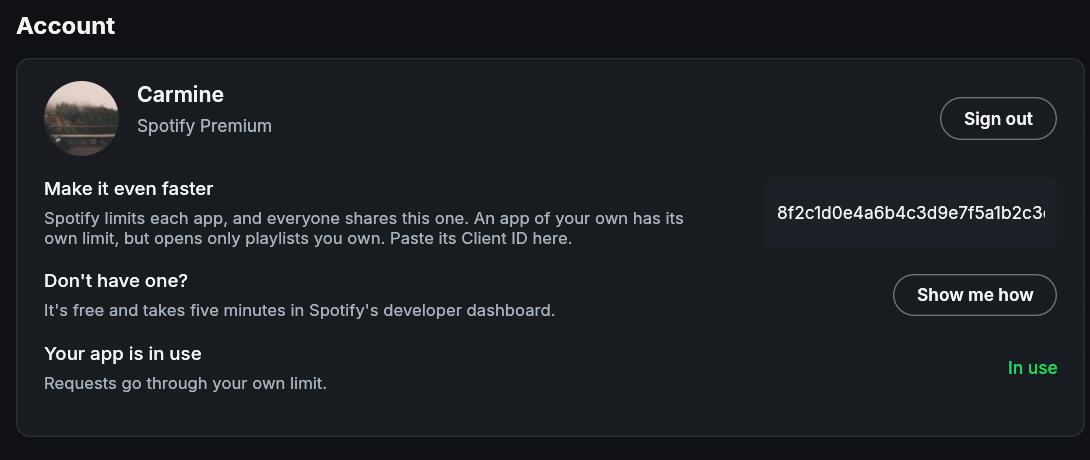
- Open Settings, find Personal Spotify app, and paste the Client ID.
- Click Authorize. Your browser opens Spotify’s sign-in for your app. Spotifast verifies that it belongs to the same Spotify account, then shows Personal app ready.
This does not affect local playback. Select Remove to delete the personal grant. The shared app stays signed in.